Walt’s Watch Lab
GMT Automatic Watch Guide
The arrow-tipped GMT hand shows a second time zone on the 24-hour scale. If your bezel rotates, line up 24 with 12 o’clock to read it as shown.
Download PDF Guide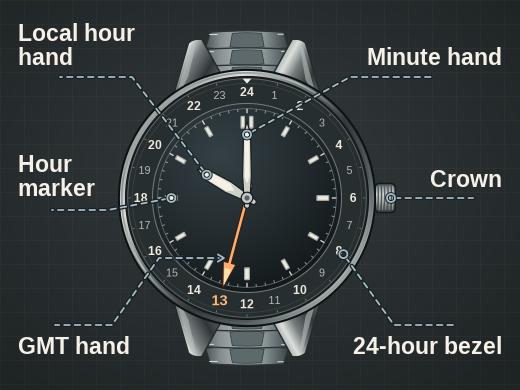
Find your crown position
If your crown screws down, unscrew it first. Then pull gently. Each stop you feel is one click.
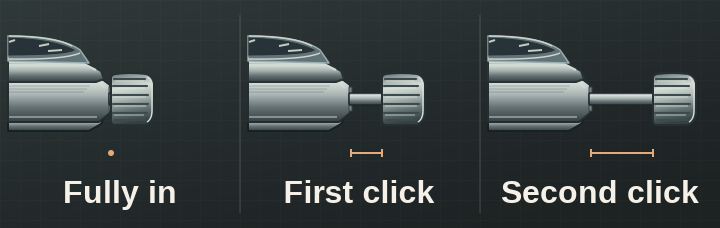
- Fully in · Wind the watch
- If your watch supports hand-winding, turn the crown gently here. For motion-only winding, gently rock the watch to start it.
- First click · Adjust one hand
- On a caller GMT, move the 24-hour arrow. On a traveler GMT, jump the local hour hand.
- Second click · Set the time
- Set local time on a caller GMT or home time on a traveler GMT. This position also sets the minutes.
Which hand moves at the first click?
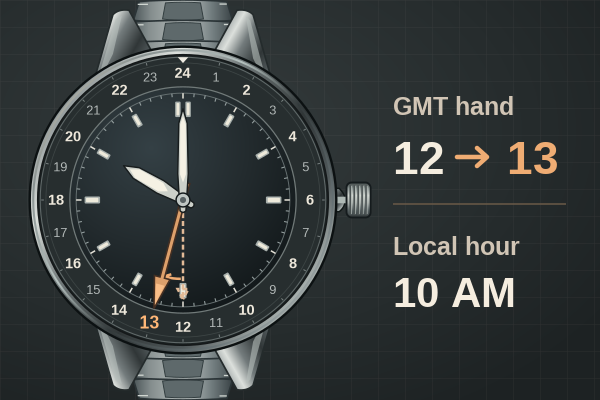
Caller GMT · The arrow moves
Set local time at the second click. Return to the first click to move the arrow to your chosen time zone. If turning the other way adjusts the date, use it only outside the calendar-change hours.
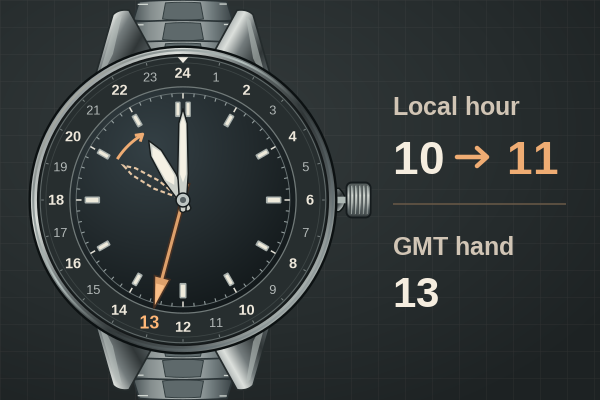
Traveler GMT · The local hour jumps
At the second click, set the 24-hour arrow and minutes to home time. Return to the first click and jump the local hour hand to the hour at your destination. The date follows the local hand through midnight.
Set your GMT hand
GMT hand
—Reading your device’s local time…
- Local hands
- —
- GMT / UTC
- —
The next 24 hours
| Your time | Local · 24h | GMT / UTC |
|---|
Important to Remember
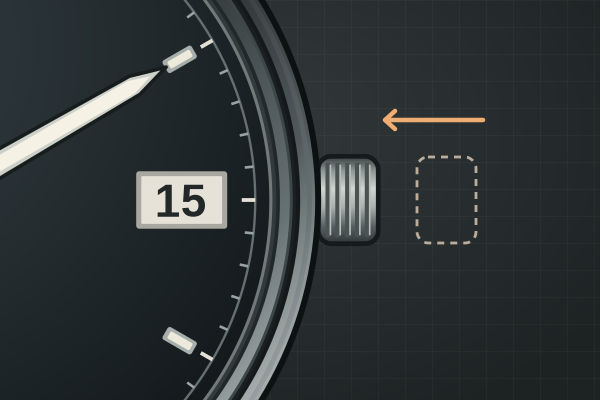
Close the Crown
After setting, push the crown back against the case. If it screws down, gently screw it back into place.
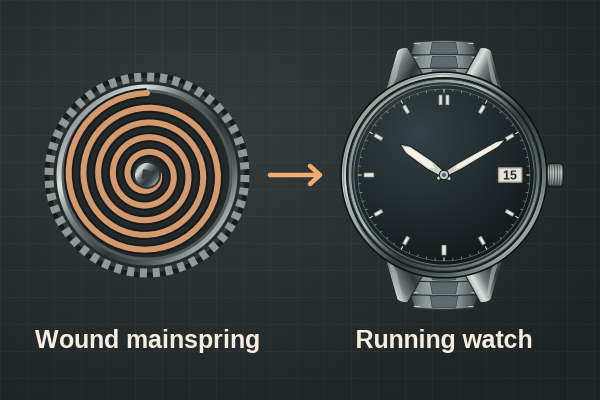
Power Reserve
Power reserve is how long your watch can keep running after you take it off. It depends on the movement and how fully the spring is wound.